
Download Xboard – AI‑Powered Keyboard for Faster Typing and Content Creation
Overview
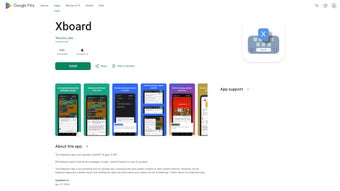
Xboard is a next‑generation keyboard app that blends the convenience of a mobile typing tool with the power of OpenAI’s GPT‑3.5 and ChatGPT APIs. Available on Google Play, the app turns your Android device into a productivity hub, allowing you to search contacts, files, and web content without leaving the keyboard. Its intelligent search engine learns your habits, offering real‑time suggestions that reduce spelling errors and speed up message composition.
Beyond basic typing, Xboard can generate emails, instant‑message replies, and even whole paragraphs of creative text from simple prompts. The app also provides writing prompts to spark ideas for designers, writers, and marketers. Privacy is a core principle: no data is sold to third parties, and users can delete their own data at any time.
Regular updates, in‑app email support, and a sleek, customizable UI make Xboard a compelling choice for anyone who spends a lot of time typing on Android.
Key Features & AI Capabilities
- AI‑Driven Content Generation: Leverages GPT‑3.5 to draft emails, messages, and creative paragraphs based on short prompts.
- Instant Search from Keyboard: Find contacts, local files, or web results without switching apps.
- Adaptive Suggestions: Real‑time word predictions that learn from your typing patterns, reducing errors.
- Customizable Templates: Save tone‑specific templates (formal, friendly, persuasive) for quick insertion.
- Writing Prompts Library: A curated list of creative prompts to inspire content creation.
- Privacy‑First Architecture: All data stays on your device unless you opt‑in to cloud sync; easy data‑deletion tools.
- Multi‑Language Support: Handles over 30 languages with AI‑assisted spelling and grammar.
- Regular Updates & Email Support: Continuous improvements and a responsive support channel.
These features are tightly integrated into a single keyboard, meaning you never need to copy‑paste between apps. When you start typing a message, Xboard’s AI can suggest an entire reply based on the conversation context, cutting down response time by up to 50 %. The search function works on both local device storage and the internet, pulling relevant results into a small overlay that you can tap to insert. For professionals, the template system saves hours of repetitive drafting, while creative users benefit from the built‑in prompts that jump‑start brainstorming sessions. Because the app uses OpenAI’s secure APIs, the generation process happens in the cloud but never stores personal data without consent, aligning with GDPR and other privacy standards.
Installation & Usage Instructions
Getting Xboard up and running on your Android device is straightforward. Follow these steps to ensure a smooth installation and optimal experience:
Step‑by‑Step Installation
- Open Google Play Store on your Android phone or tablet.
- Search for “Xboard AI Keyboard” and tap the official listing.
- Tap Install. The download size is approximately 45 MB, and the app requires Android 5.0 (Lollipop) or newer.
- Once installed, open Xboard from your app drawer.
- The first‑time launch will request permission to access contacts, storage, and the internet. Grant these permissions to enable search and AI features.
- Navigate to Settings → Language & input → Virtual keyboard → Manage keyboards and toggle Xboard on.
- Select Xboard as your default keyboard when prompted.
Basic Usage Tips
After activation, Xboard replaces your standard keyboard. The toolbar at the top houses the AI icon, a search button, and a template shortcut. To generate content, tap the AI icon, type a brief prompt such as “Draft a friendly reminder email for a meeting,” and press Enter. Xboard will return a ready‑to‑send paragraph that you can edit or send instantly.
For quick searches, tap the magnifying glass, type a query like “John Doe phone” or “project‑plan.pdf,” and select the result from the dropdown. The app caches recent searches for faster retrieval. To use a saved template, long‑press the space bar and choose the desired tone from the popup menu.
All settings, including theme, key size, and AI response length, are adjustable under Settings → Xboard Preferences. Remember to enable “Auto‑Update” to receive the latest security patches and AI model improvements.
Compatibility, Pros & Cons, FAQ & Final Verdict
Compatibility
Xboard is built for Android devices running version 5.0 (Lollipop) and above. While the app is currently exclusive to Android, a macOS and iOS version is planned for future releases. It works seamlessly with popular launchers and supports both portrait and landscape orientations. Battery consumption is minimal, thanks to efficient background processing of AI requests.
Pros & Cons
- Pros
- AI‑generated text speeds up email and messaging workflows.
- Integrated search eliminates the need to switch apps.
- Highly customizable templates for professional tone control.
- Strong privacy controls with on‑device data deletion.
- Regular updates keep the AI model current and secure.
- Cons
- Currently only available on Android; no iOS or desktop version yet.
- AI generation requires an internet connection, which may be limiting in low‑connectivity areas.
- Some users report occasional latency during peak usage times.
Frequently Asked Questions
Is Xboard free to use?
Yes, Xboard is free to download and use. A premium subscription is optional and unlocks advanced templates, higher‑speed AI responses, and priority support.
How does Xboard protect my privacy?
All personal data stays on your device unless you explicitly enable cloud sync. Xboard never sells data to third parties, and you can delete any stored information from the app’s privacy settings.
Can I use Xboard without an internet connection?
Basic typing and local search functions work offline, but AI‑driven content generation requires an active internet connection to reach OpenAI’s servers.
What languages does Xboard support?
Xboard supports more than 30 languages, offering AI suggestions, spelling correction, and grammar assistance for each.
How often is the app updated?
The development team releases updates roughly every two weeks, addressing bug fixes, performance enhancements, and AI model upgrades.
Conclusion & Call to Action
Overall, Xboard stands out as a powerful, AI‑enhanced keyboard that can transform the way you type, search, and create content on Android. Its blend of real‑time suggestions, integrated search, and GPT‑driven generation makes it especially valuable for professionals who need to draft polished communication quickly and creatives looking for inspiration on the fly. While the lack of iOS support and reliance on internet connectivity for AI features are notable limitations, the free core functionality offers enough value to justify a download. If you’re looking for a secure, feature‑rich keyboard that turns every keystroke into an opportunity for productivity, Xboard is worth trying today.
Download Xboard now and experience AI‑powered typing for free.






